
Tech Help for University Apartments
Internet Connectivity at University Apartments
Apartments either have a network port or a DSL-phone port. Both can provide an internet connection.
You may directly connect your internet devices with an ethernet cable to the networking port.
This includes but is not limited to: Wi-Fi routers, computers, TVs, and gaming consoles.
SMC Modem Setup & Installation
The following items are included in the SMC box:- 1 SMC Modem
- 1 AC Power Adapter
- 1 Phone/Line Cable (RJ11)
- 1 Ethernet Cable (RJ45)
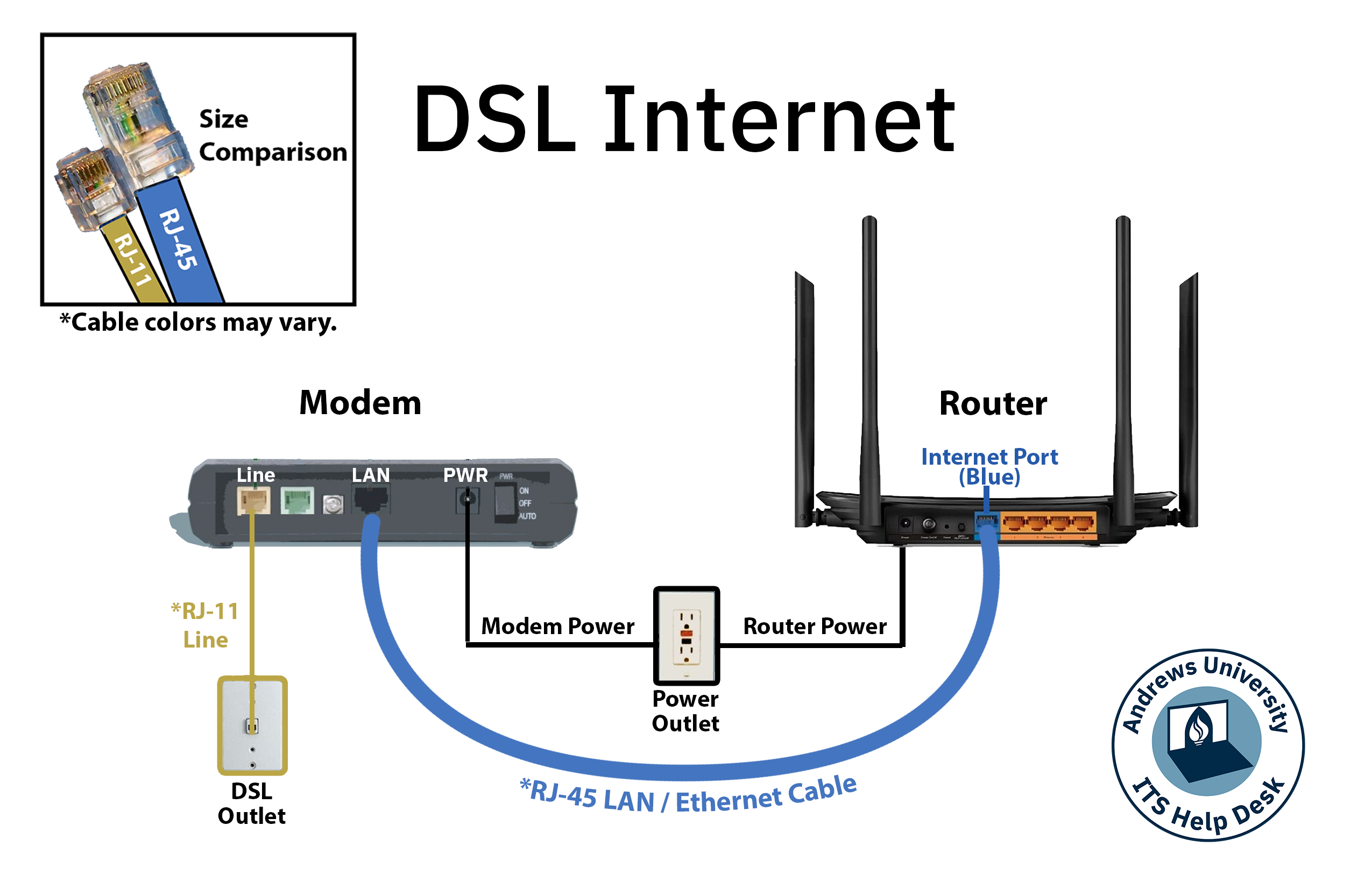
- Be sure the power switch is positioned “OFF”
- Connect power supply to the modem.
- Connect one end of the provided phone cable into LINE port of the modem and other end of the cable into the wall socket for DSL/phone.
- Connect one end of provided Ethernet cable into the LAN port of your modem and other to the computer or to the Internet port of a wireless router.
Understanding the Front Panel of Your SMC Modem
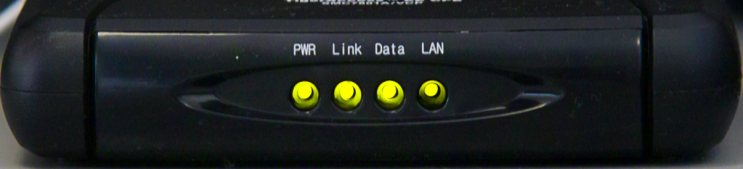
The following table shows a description of the lights on the front panel of the SMC device:
| PWR (Power) | Solid green = normal, receiving adequate power |
| Link | Solid green LED= normal, successful connectivity with network |
| Data | Blinking green LED = normal, receiving data flow |
| LAN | Blinking green LED = normal, receiving data flow when wireless router or computer is plugged into LAN port |
Note: It may take up to 1 minute before the LINK light becomes solid green. Please be patient.
If the SMC modem does not appear to be functioning as described, you may exchange the device for another one at the Housing office.
Wireless Connectivity & Supported Wireless Routers
Wireless connectivity is not available in the University Apartments. Residents may supply and connect their personal wireless routers for their wireless convenience. The following wireless router has been fully tested and is guaranteed to be compatible on the Andrews University campus network:
Because there are various makes and models of wireless routers, ITS is unable to test compatibility of all of them on our network and thereby unable to fully support all these devices. You may attempt to configure your own personal wireless router not listed above. However, because of time and network constraints, ITS technicians may choose not to configure any wireless router not listed above.
Telephone and Cable TV Services & Installation
Visit the Telecommunications online resource for information related to this topic.

- Phone: 269-471-6016
- Email: helpdesk@andrews.edu