
 Manage Devices in Duo
Step 1
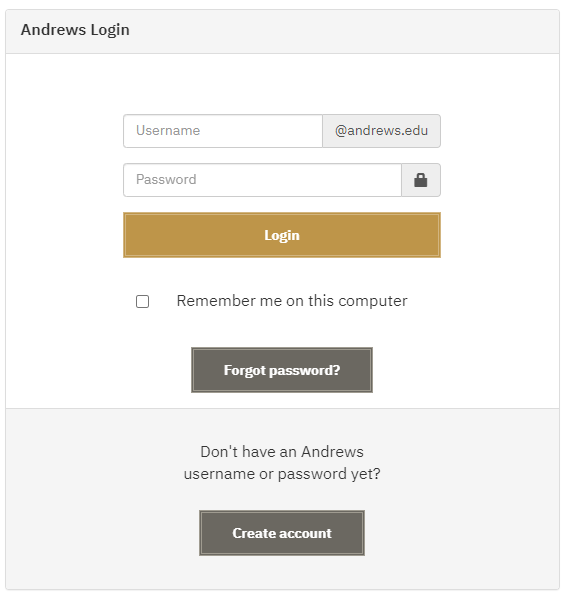
Sign into a Duo protected service, such as "MyAccount".
Step 2
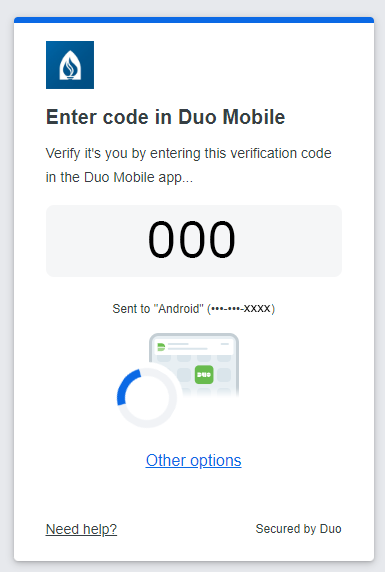
Click "Other options" at the bottom of the Duo prompt.
Step 3
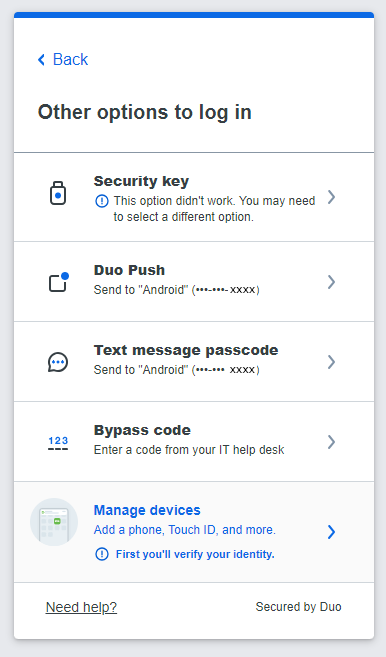
Choose "Manage devices" at the bottom of the Duo prompt.
Step 4
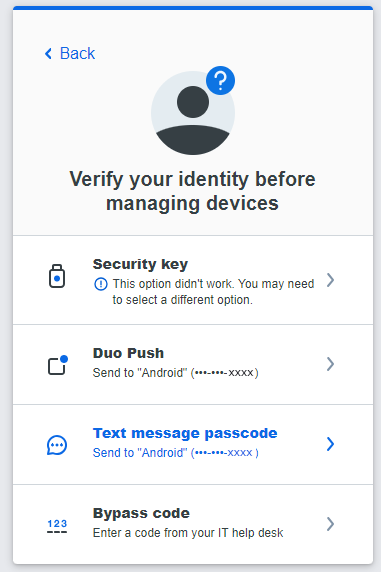
Select "Text message passcode" to receive an SMS text with one sign in code.
Step 5
Enter the SMS passcode and click "Verify"
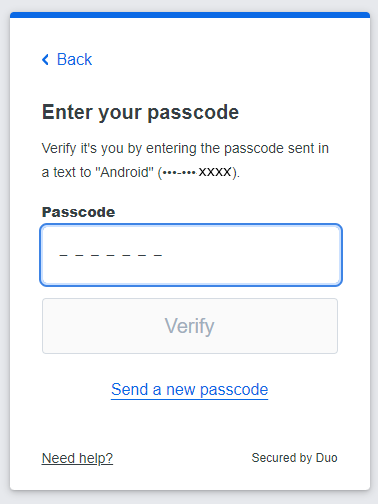
Step 6
If successful, you will get a "You're verified" screen.
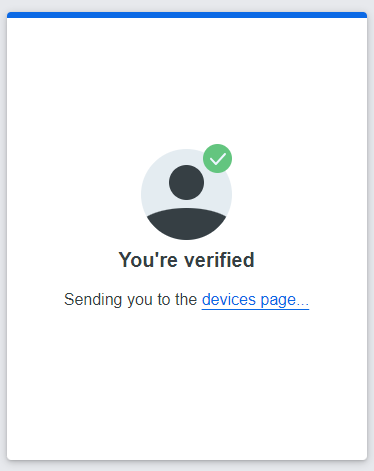
Step 7
Choose whether you are replacing your old phone with "I have a new phone" or "Add a device" to add additional devices to log into your account with.
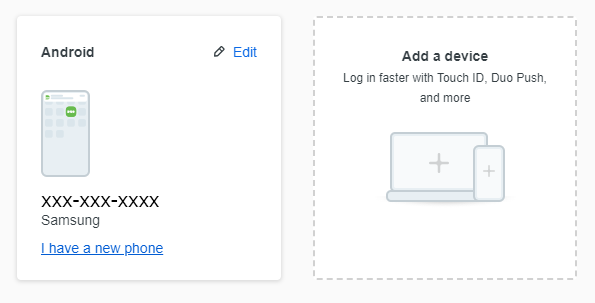
Step 8
If applicable, click "back to login" in the top-right to complete your Duo sign-in.
Step 9
For more help with setting up the Duo Mobile app, see our guide, here.
For more information, visit the Frequently Asked Questions (FAQ) page.

- Phone: 269-471-6016
- Email: helpdesk@andrews.edu